FFForce guide · 5 steps
Enter an FFForce competition
Every FFForce competition entry is made online, from your FFForce account. Here is the path, screen by screen.
First things first · your licence
Your licence with One Rep
To compete at an FFForce meet, you need a licence. Take it with One Rep Club, the gym's association: message us and we handle the rest.
- €150
- For a full year, FFForce competition licence included.
- The guide
- Our prep guide: kit bag, lifting order and how the day runs.
- The club
- Support on site when the club is there. We announce it in our stories.
National competitions require a qualification. Entry fees are on top of the licence.
Step 01
Log in to your FFForce account
To enter an FFForce competition, log in to your account at monespace.ffforce.org.
Lost your login? The club that issued your licence can give it to you again.
monespace.ffforce.org
Step 02
Check your licence
The green tile must show that your licence is active this season, and your licence must cover the discipline you are going for. Then click the orange tile: it leads to competition entries.
Licence missing or no longer active? Contact your club before going further.
Licence active
This season
Enter a competitionThe two tiles to look for in your account Step 03
Pick your competition
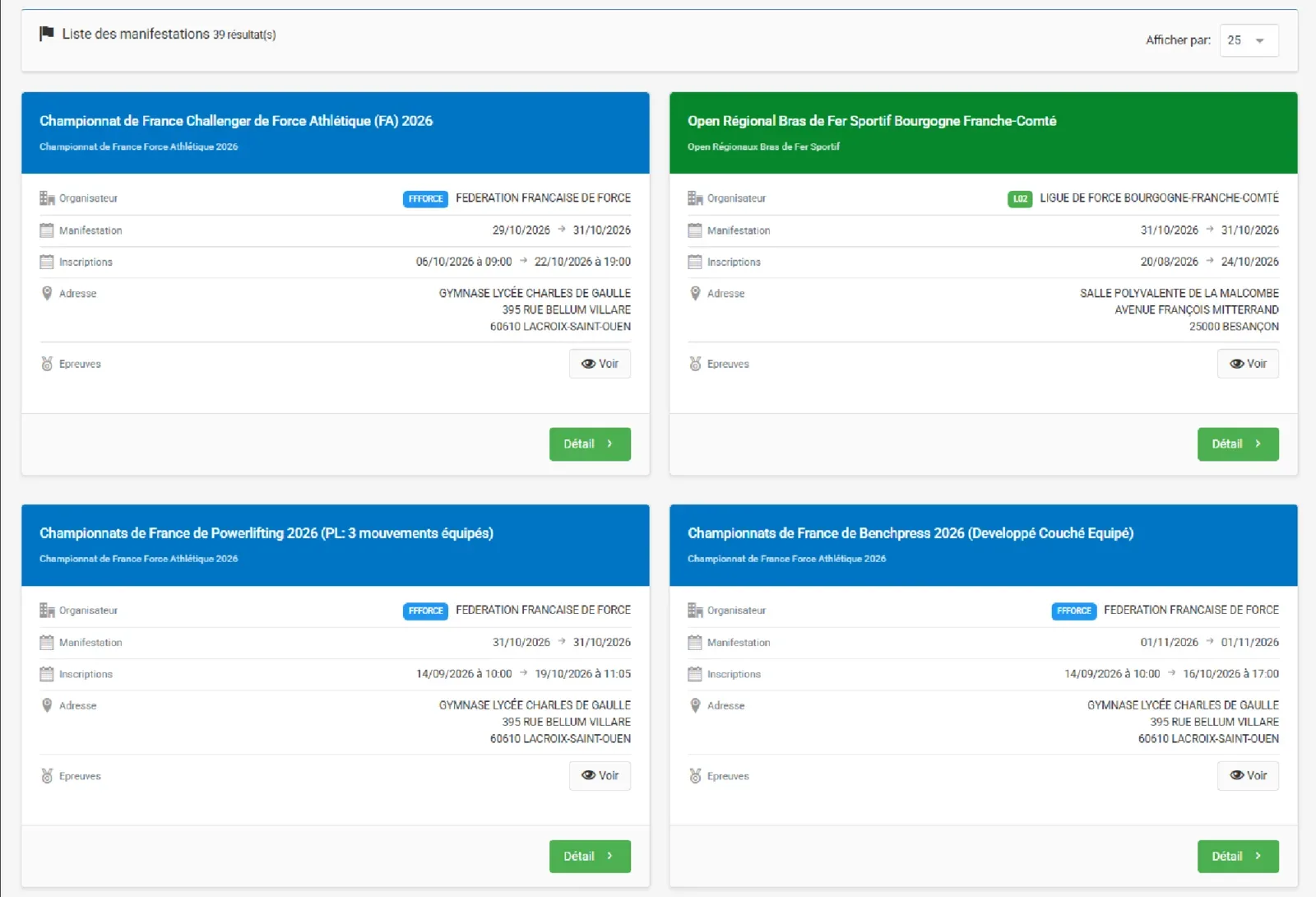
Look for your competition in the list and narrow it down with the filters.
Check the discipline, venue, date and entry period.
Step 04
Open the competition page
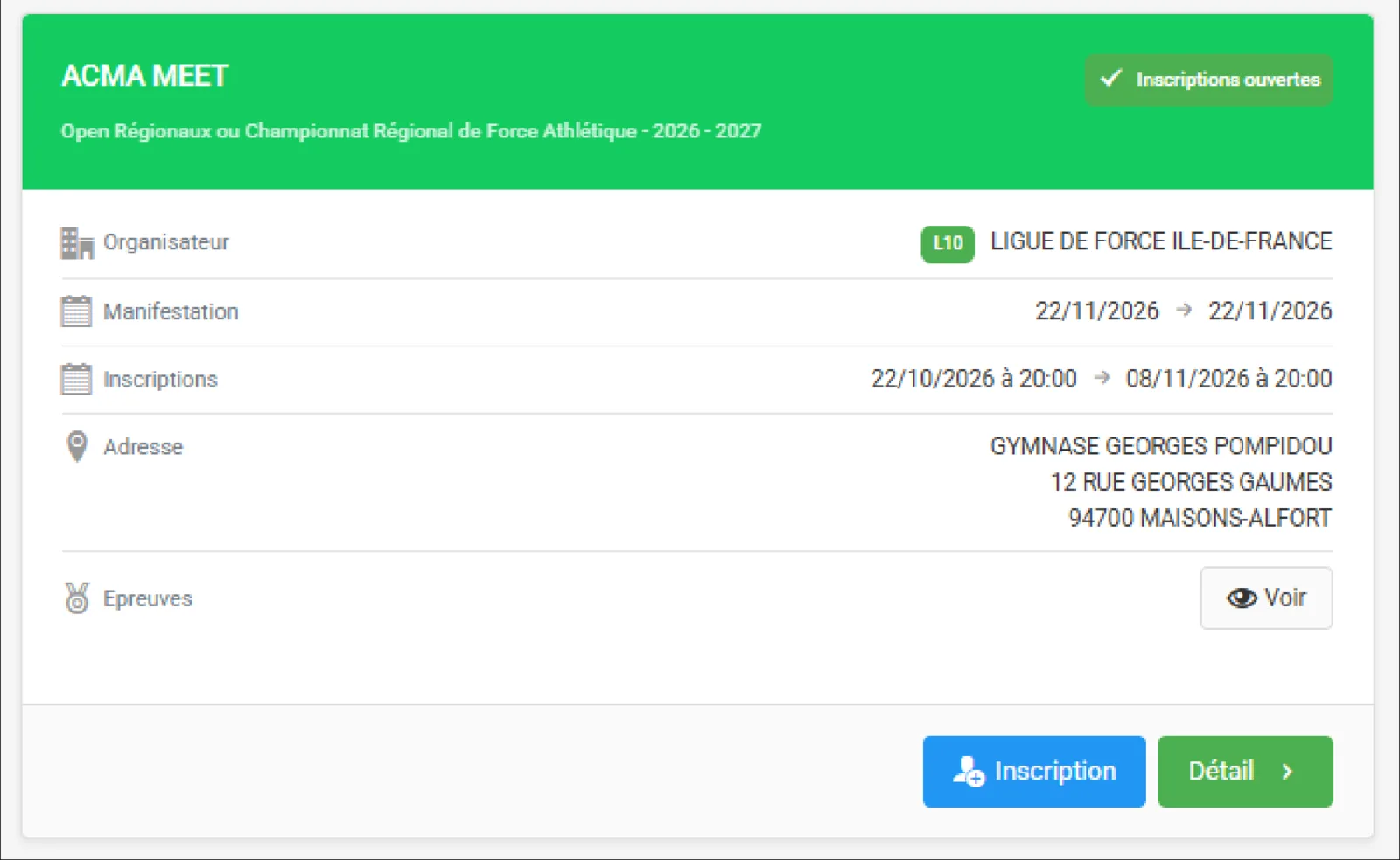
Before entering, check the date, address, entry conditions and disciplines on offer. The organiser's details are the ones that count.
Click the blue « Inscription » button as soon as it shows up.
Step 05
Complete your entry
Check the discipline, your age category and your weight class.
- 1.Pick your category, then click « Calculer ».
- 2.Save with « Sauvegarder », depending on the screen.
- 3.Pay the requested fee and check the confirmation.
- 4.Keep your entry certificate.
Choosing between FA and PL? Take FA (raw): PL is equipped.
Screens come from the FFForce website and may change. When in doubt, the organiser's details are what counts.